MyEclipse CSS editor for Eclipse
This paper describes the new and improved editors of MyEclipse for CSS files.
General
Author:
Sascha Wolski
http://www.laliluna.de/tutorials.html
Date:
April, 28 2005
Software:
Eclipse 3.x
MyEclipse 3.8.x
PDF version
http://www.laliluna.de/assets/tutorials/myeclipse-css-editor-en.pdf
CSS Editor
Content Assist
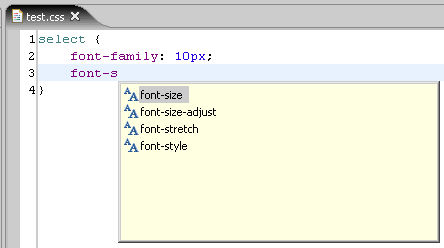
The CSS Editor of MyEclipse supports content assistant, which appears when you press STRG + SPACE.
Outline View
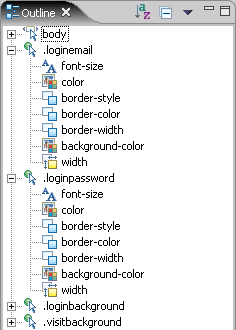
The Outline View can be used for easy navigation through the CSS document. If you select an item of the Outline View the cursor of the editor jumps to the position of the item.
You can open a view in the menu ?windows -> show view?.
Properties tab
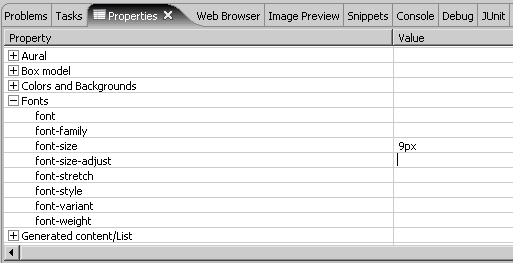
The Properties tab displays all properties and its values for the current selected style sheet element. You can add, edit or delete values and the property will automatically be added, edited or deleted within the current element.
Formatting code
The CSS Editor supports Code formatting like the Java Editor of MyEclipse. You can format the CSS document with the key shortcut STRG + SHIFT , F (default).
CSS options
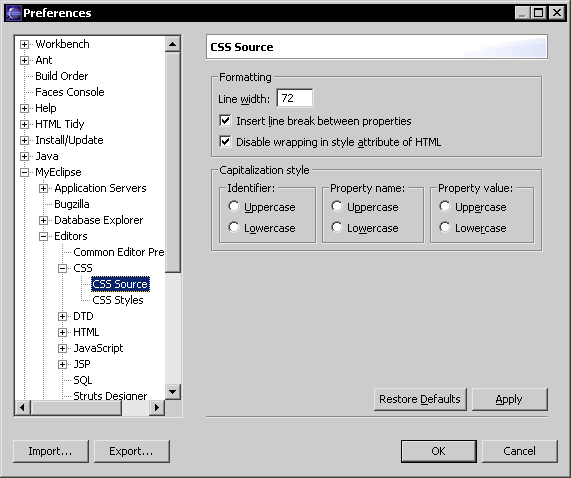
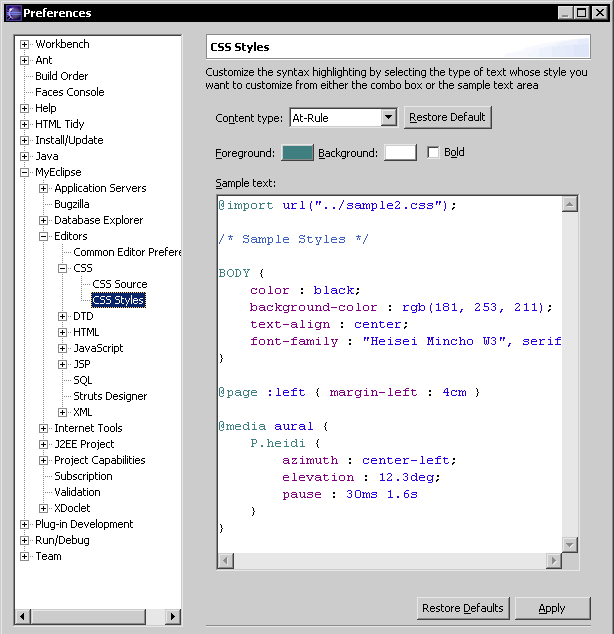
You can configure the CSS options on the Preferences tab of MyEclipse (Window > Preferences > MyEclipse > Editors > CSS). There are a couple of formatting and style options.